HQ Advanced Search for Shopware
Acceleration of Shopware search through integration with ElasticSearch, plus extension of the search function with high-performance suggestions, fault tolerance, synonyms and a fuzzy-search function.
Scope of Functions of the Custom Extension
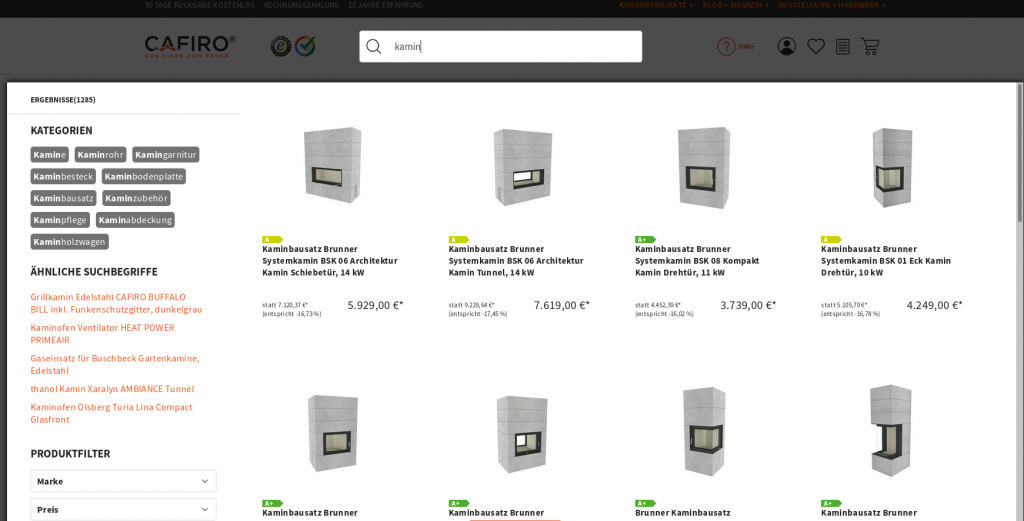
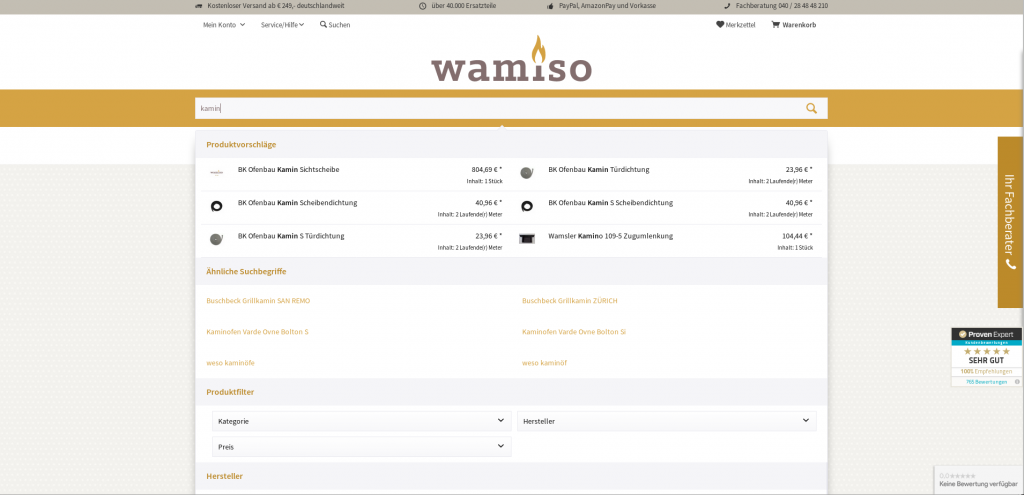
Our extension of Shopware’s search function with integration into ElasticSearch is an extremely fast, highly scalable and highly available system. Potential customers who are interested in certain products and use the search function expect immediate results. Thanks to the powerful search engine, products are searched at breathtaking speed even with millions of items and peak loads during visitor surges. Give your search not only a performance boost, but also increase your web shop’s conversion rate through optimal search functionality.
As a Shopware agency with almost 20 years of experience in developing and supporting e-commerce projects, we have expanded this fantastic feature even further.
Our search extension, developed exclusively by us, gives you the opportunity to optimize your search performance with ElasticSearch. In addition to a suggestion function, you receive a significant improvement in your customers’ shopping experience because search results are displayed much faster and are more precise thanks to synonyms and fault tolerance. The developed plugin is compatible with Shopware 5 or Shopware 6.
The search method is phonetic, meaning that words and sounds with similar pronunciation are searched for. With the help of phonetic search, a representation of a word is therefore created that sounds similar.
In phonetic representation, words are broken down into so-called phonemes. Similar sounds are grouped together depending on how “fuzzy” the search is intended to be. In a simple case, the phonetic representation of the search term is compared with a phonetic representation of the words to be searched.
This makes your search more convenient for visitors and can significantly increase your revenue through a customer-friendly search experience.
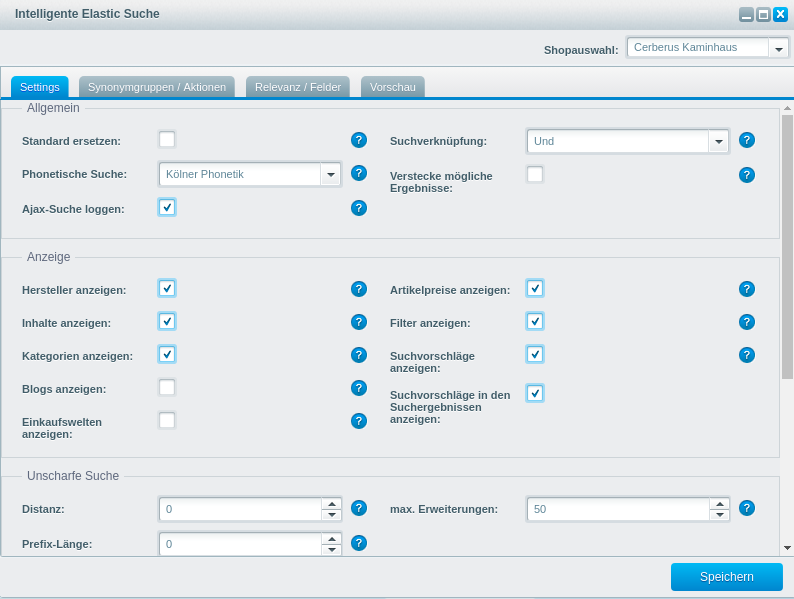
Our search extension replaces the default values of the standard Shopware search and also stores your customers’ search results.
The plugin includes an AND/OR search mechanism that narrows or broadens the search results when multiple search terms or entire groups of words are entered.
To ensure an optimal search experience, our fuzzy search includes Levenshtein distance to allow input errors. This can be configured individually from 0 to 2. In the event of spelling errors, the system attempts to transform the search term using insertion, deletion and substitution operations so that the matching product is found. This not only improves customer satisfaction, but also your revenue when products are found despite input errors. The fuzzy search and integrated prefix search can be extended. The prefix length can be defined, so the first characters are not changed during term generation. With fuzzy search, the maximum expansion allows you to specify the highest possible number of generated search terms. In addition, with prefix search it is possible to specify the number of suffixes for the final search term. This affects the last characters of the search term.
The search suggestions are based on the number and minimum word length of the entered search term.
Our extension also includes additional settings for boosting new products and top sellers.
To make searching easier for your customers, you can create synonym groups to search for words with similar meanings. Search suggestions appear for the synonym and the respective group when either one is searched for directly.
This feature makes it possible to create, edit and delete synonym groups and synonyms.
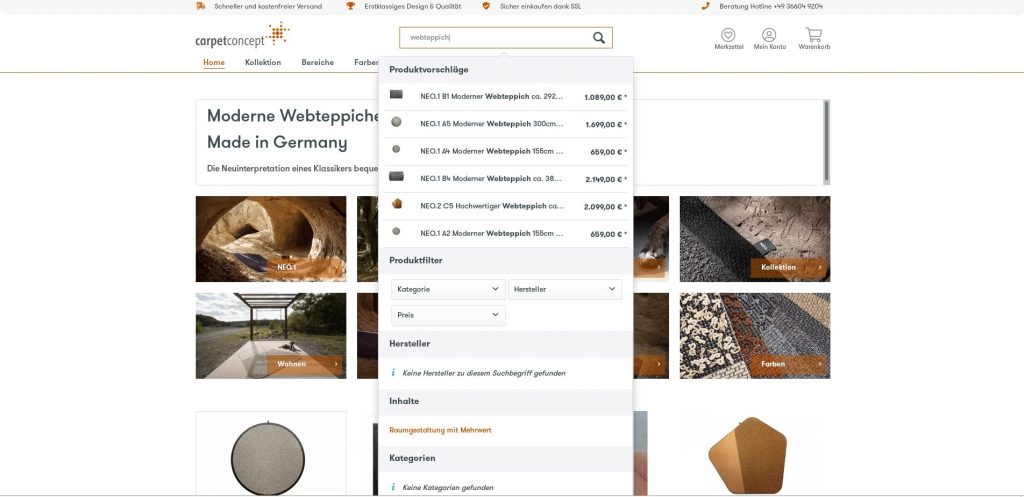
You can adjust the names of synonyms, select the shop for the corresponding synonym group, and activate or deactivate synonyms and synonym groups. With the help of synonym groups, you can use multiple groups of synonyms across several shops or specifically in only one shop.
The settings for the search page can be configured by you at any time. This allows you to define the start and end date and time from which the Shopping World and product stream should be displayed.
Your shop does not have the right item for the search term, but you have another shop that contains such items? With our extension, it is possible to redirect users to the other URL using search suggestions. Customer satisfaction is increased because the visitor can still find the item in one of your other shops. This not only saves the customer a great deal of time, but also increases the visibility, number of visitors and revenue of your other shops.
If a URL should be opened from the search suggestions, this can be stored for searched synonyms. The Shopping World for the search page and the product streams for search can be selected freely. Product streams and Shopping Worlds can be displayed on the search page when a synonym has been searched for.
In addition, you can define relevance settings for your products. This allows you to prioritize search suggestions for specific products that contain the search term in configured fields by using a configured boost. You decide individually at any time which product should have which priority in your shop.
Relevance settings can be created, edited and deleted by you.
In the relevance settings, you can select the product field that should be boosted. You are free to choose the search type (prefix, fuzzy or exact match). The boost can be configured in the settings.
You can also deactivate relevance settings if they are no longer needed and reactivate them at a later time.
Another function of the extensive plugin is our preview feature. It shows which items are found by your customers and with what score. In addition, item numbers and specific keywords from top sellers and new items are displayed.
Our integrated search statistics provide you with a quick and comprehensive overview of your search. These statistics give you an overview of search terms, hits, and the first and last search for each term. You can track customer trends and preferences more precisely and respond accordingly. Among other things, the minimum, average and maximum score are also displayed. In these statistics, you additionally see the search suggestions and the number of times the term has been searched for.